
Download Blogger Backup – Free Secure Blog Backup Tool
Backing up your Blogger content is no longer a chore thanks to Blogger Backup. This lightweight utility was created with the sole purpose of giving bloggers a reliable, one‑click way to export every post and comment from their blogs. Whether you run a personal diary, a professional portfolio, or a multi‑author site, losing content can be disastrous.
Blogger Backup eliminates that risk by generating clean XML files that can be imported back into Blogger or stored for archival purposes. Its streamlined interface, date‑range filter, and flexible batch size (up to 500 posts per file) make it a must‑have tool for anyone who treats their blog as a serious digital asset. The app is free, secure, and regularly updated to stay compatible with the latest Blogger API changes, ensuring that your data is always safe and ready to restore.
Key Features and What They Mean for You
- One‑Click Export: Export all posts and comments with a single button press.
- Date Range Filtering: Choose a specific start and end date to back up only the content you need.
- Batch Size Control: Save posts individually or group up to 500 entries per XML file.
- XML Format Only: Generates standard XML files that are fully compatible with Blogger’s import function.
- Cross‑Platform Compatibility: Works on Windows, macOS, Android, and iOS devices.
- Free and Secure: No hidden fees, no ads, and all data stays on your device.
- Automatic Updates: The app checks for API changes and updates itself without user intervention.
These features are not just a checklist; they solve real problems that bloggers face daily. The one‑click export removes the technical barrier that often discourages users from creating backups. Date filtering is especially valuable for large blogs where a full export could be cumbersome or unnecessary.
By allowing batch sizes up to 500 posts, Blogger Backup reduces the number of files you need to manage while keeping each file at a reasonable size for quick downloads. The exclusive XML output means you can restore content directly in Blogger without any conversion steps, preserving formatting, tags, and comment threads exactly as they appeared online. Finally, the app’s commitment to being free and secure reassures users that their data will never be sold or exposed to third parties.
Installation, Usage & Compatibility
Installing Blogger Backup is straightforward. For Windows and macOS, download the installer from the official website, run the executable, and follow the on‑screen prompts. Android and iOS users can find the app in their respective app stores; simply tap “Install” and grant the necessary permissions to access your Blogger account. Once installed, launch the app and sign in with your Google credentials. The OAuth process is handled securely, and the app never stores your password.
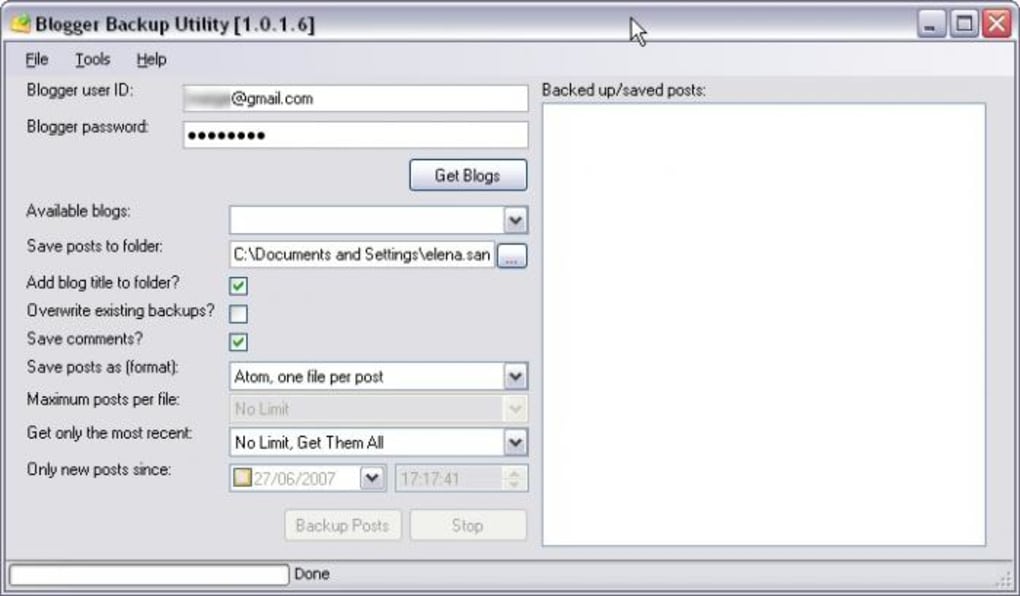
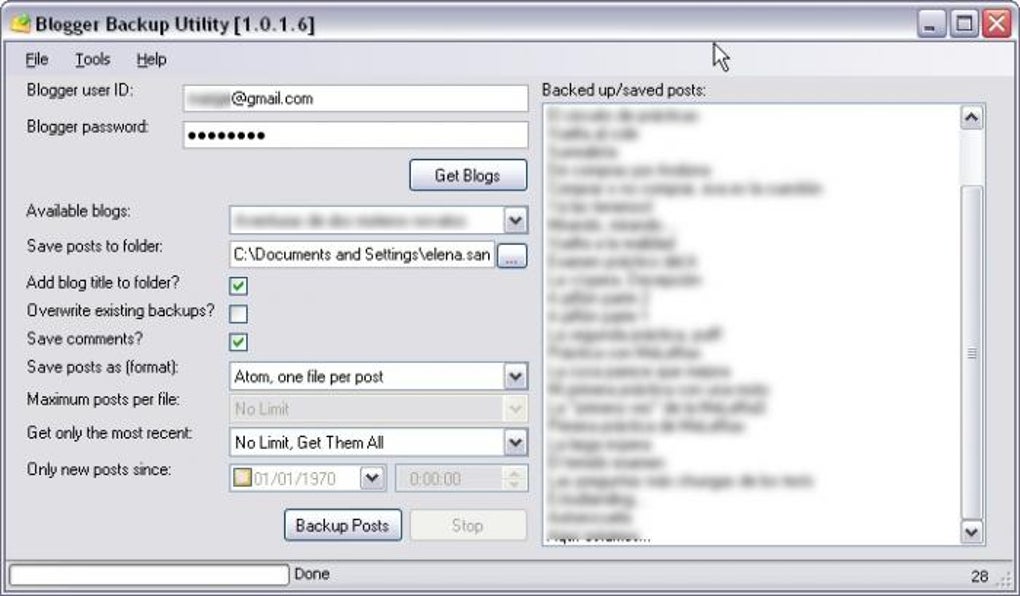
To start a backup, select the blog you want to export from the drop‑down list, choose a date range if needed, and decide whether you want individual files or batch files of up to 500 posts. Press “Export,” and the application will generate XML files in a folder you designate. For large blogs, the process may take a few minutes, but a progress bar keeps you informed. After the export finishes, you can open the XML files with any text editor to verify content or directly import them back into Blogger via the platform’s “Import” function.
Blogger Backup supports the following operating systems: Windows 10/11, macOS 10.15 and newer, Android 8.0 and newer, and iOS 13 and newer. The app is built on a lightweight runtime, which means it consumes minimal CPU and memory, making it suitable even for older devices. Regular updates are delivered automatically, ensuring compatibility with the latest Blogger API changes and fixing any discovered bugs without requiring manual intervention.
Pros, Cons, FAQ & Final Verdict
Pros
- Free with no hidden costs.
- Simple, intuitive interface suitable for beginners.
- Date‑range filter saves time on large blogs.
- Batch export up to 500 posts reduces file clutter.
- Cross‑platform support (Windows, macOS, Android, iOS).
- Secure OAuth login; no passwords stored.
- Automatic updates keep the tool current.
Cons
- Only XML output; no PDF, CSV, or Markdown options.
- No built‑in scheduler for recurring backups.
- Limited to 500 posts per batch; very large blogs may need multiple exports.
- No cloud sync; backups are stored locally.
Frequently Asked Questions
Is Blogger Backup really free?
Yes, the tool is completely free. There are no subscription fees, no in‑app purchases, and no ads.
Can I back up multiple blogs at once?
You need to run the export for each blog individually, but the process is fast enough that switching between blogs takes only a few seconds.
What happens to my comments during export?
All comments attached to each post are included in the XML file, preserving the original author, timestamp, and content.
Is the exported XML compatible with Blogger’s import feature?
Absolutely. Blogger Backup creates XML files that follow Blogger’s import schema, allowing a seamless restore.
Will my data be uploaded to the cloud?
No. All export files are saved locally on your device, giving you full control over where your backups are stored.
Overall Verdict: Blogger Backup delivers exactly what its name promises—a quick, secure, and free way to protect your Blogger content. While the lack of alternative export formats and scheduling features may be a drawback for power users, the tool’s ease of use, cross‑platform support, and reliable XML output make it an essential addition to any blogger’s toolkit. If you value peace of mind and want a hassle‑free backup solution, download Blogger Backup today and safeguard your posts with just a few clicks.







